
Analysis by E.H. Bradford
AI Industry Reporter & Reality Correspondent
AI Video Generation for Entrepreneurs: Case Studies, Hype, and Real Playbooks
AI video generation is already driving real revenue for entrepreneurs, especially in education, SaaS, ecommerce, and agencies, but wins come from workflow design and distribution, not from "cool" visuals alone. The case studies show a pattern: the money goes to people who plug AI video into a clear system, not those chasing the latest model demo.
What kinds of businesses are actually winning with AI video?
Here are concrete patterns from current case studies and reports.
- Course creators & training businesses – Teams using tools like Synthesia report creating training and explainer videos up to 90% faster, turning what used to be days of work into under an hour per video. For a solo creator, that's often the difference between "I never finished the course" and "I shipped a full library of lessons this month."
- Global SaaS and B2B companies – Localization features let them convert one core script into dozens of language variants in minutes, work that previously took roughly 100 hours of manual production. For an entrepreneur, that's essentially instant access to new markets without hiring translators, actors, or video crews.
- Ecommerce & DTC brands – Retail startups using AI video to create short product clips and social ads have seen conversion lifts around 25% after switching to AI‑powered short‑form video on platforms like TikTok and Instagram. That kind of bump on the same ad spend is effectively "free money" if your funnel is already working. One practical example is a "solo voice" workflow using Leonardo AI video, where you record a single voiceover and use prompts to generate multiple ad‑style visuals—product shots, lifestyle scenes, even 360‑style looks—without ever appearing on camera or reshooting footage. This kind of setup turns one narration into a small library of reusable clips you can plug into product pages, social ads, and retargeting sequences as you test what actually moves sales.
- Agencies & freelancers – Agencies adopting end‑to‑end AI workflows (AI script → AI storyboard → AI video → human polish) report cutting production time and cost by up to 80% while increasing content output. If you bill per project but produce 3–4x more, your effective hourly rate quietly explodes.
- Social‑first creators & brands – Tools like Pika are being used by brands such as Balenciaga and Vogue for fast, stylized clips that extend their visual language on social media. For a smaller brand, this is a signal that "lo‑fi but clever AI visuals" are now acceptable and on‑trend, not a downgrade.
Which tools show real traction (and why that matters to you)?
This is where "hype vs. reality" shows up most clearly: follow the money and usage.
| Tool | What it's best at (today) | Who's using it / traction | Why an entrepreneur should care |
|---|---|---|---|
| Synthesia | Talking‑head explainer, training, and localized videos with AI avatars. | Used by large enterprises with thousands of internal users creating millions of videos, primarily for training and internal communications. | Strong fit if you sell courses, onboarding, or B2B education and need "good enough studio quality" at scale without filming yourself. |
| Runway | Flexible AI video generation and editing, with consistent characters, locations, and multi‑scene sequences. | Generating tens of millions of dollars in annual revenue and used for Hollywood‑level projects and ad work. | Good if you want cinematic B‑roll, ad concepts, or to offer "AI video" as a premium service. Higher learning curve but high creative ceiling. |
| Pika | Social‑first, stylized short clips (text‑to‑video, image‑to‑video, video‑to‑video). | Used by fashion and media brands like Balenciaga and Vogue, and a large creator community making millions of videos per week. | Great for thumb‑stopping social content, teaser videos, and concept ads if you're experimenting with visual storytelling. |
| Video commerce stacks | End‑to‑end AI‑assisted video commerce: scripting, avatars, rendering, and multi‑platform shoppable video. | Retail brands report up to 80% reductions in production time and cost, plus measurable lifts in sales and engagement. | Even if you build your own stack, this "script → produce → test → repurpose" loop is the pattern to copy for your own offers. |
Why this matters: you don't need to chase every new model; anchoring on one or two tools inside a clear business model (courses, product video retainers, TikTok UGC, and so on) is where the money is.
The hype vs. reality: what's actually going on?
Most marketing around AI video quietly sells this story: "Type a prompt, get studio‑quality video, scale your content, print money." The glossy demos tend to skip the boring but crucial steps where real businesses actually make decisions, measure performance, and iterate.
In the real case studies, every meaningful win rests on a repeatable system wrapped around the tool. Think less "magic camera," more "assembly line":
-
A specific business goal, not "more content"
Example targets include "Decrease phone support inquiries by replacing FAQs with short AI videos" or "Boost training completion rates while cutting production time by 70–80%." When your goal is that concrete, you can tell whether AI video is helping you or just creating noise. -
A content pipeline instead of one‑off prompts
A typical working pipeline looks like this:- Intake: who is this for, what question or objection are we addressing, and which offer this connects to.
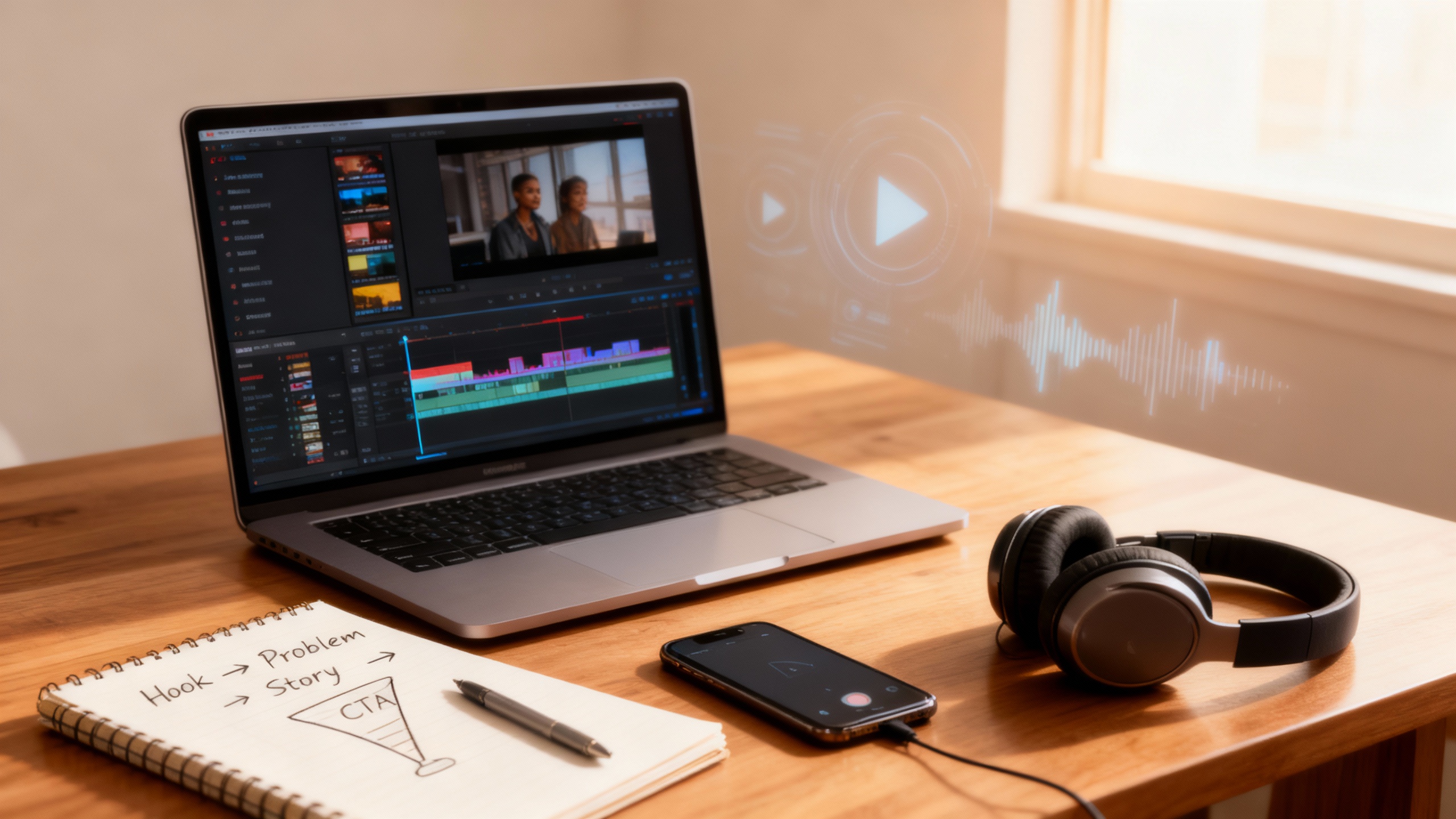
- Script: written using a consistent structure (hook → problem → demonstration or proof → call to action) that can be reused across dozens of videos.
- Production: AI video generation plus editing in a non‑linear editor (NLE)—standard video software where you arrange clips on a timeline, like Adobe Premiere Pro, Final Cut Pro, DaVinci Resolve, or CapCut.
- Distribution: publishing and testing across channels with clear tracking, such as UTM links, per‑video coupon codes, or dedicated playlists and landing pages.
-
A feedback loop with real metrics
Teams track things like view‑through rate, click‑through rate, add‑to‑cart rate, course completion, and reduced support contacts. Scripts, visuals, and calls to action get iterated based on those numbers, not on which video "looks coolest."
The hype says "AI video replaces your whole marketing system." The reality is that AI video slots into a system you design, and that design is the real asset. Entrepreneurs who treat workflows as their product—and AI as a component—are the ones with leverage.
"AI video as a lever" – a concrete example for a creator‑entrepreneur
Think of AI video as a force multiplier on top of a business engine you already have, not the engine itself. Here's a concrete example for a writer and digital‑product creator.
Scenario: you sell a mini‑course + templates bundle
- Offer: a three‑module mini‑course on story‑driven content funnels plus a pack of email and video script templates.
- Current state:
- You have a sales page and some emails.
- You might do occasional lives or a YouTube video when you have the energy.
- Conversion from opt‑in to purchase is about 2%.
Step 1: One core script → many AI videos
- You write a base script tackling your biggest objection: "I don't have time to create content."
- You create several variants focused on different mental blocks: "I'm not good on camera," "I've tried before and it didn't work," "I don't have an audience," "I hate tech."
- You feed each script into an AI video tool—an avatar‑based platform for explainers, or tools like Pika or Runway for B‑roll and conceptual visuals—to generate short clips.
- You bring these clips into your video editor to add branding, captions, and clear calls to action.
Step 2: Strategic placement, not random posting
You plug those AI‑assisted videos into places that are already doing some work:
- On your sales page: place short videos answering key objections right next to your main buttons.
- In your funnel emails: embed GIFs or short clips that visually show your "before and after" and end with a clear call to action.
- On social channels: publish 30–45 second versions with platform‑specific hooks, pointing back to your lead magnet or straight to the offer.
Step 3: Tracking and tweaking
- You tag funnel traffic so you can see which email and video combinations actually drive clicks and sales.
- Each month, you keep the best‑performing assets and replace weaker ones with new AI‑generated variants based on your templates.
If this system nudges your opt‑in‑to‑sale conversion from 2% to 3% on the same audience, that's a 50% revenue lift without more ad spend or more "showing up," just smarter reuse of content you already know how to create. AI isn't the business; it's the lever that makes your existing funnel more persuasive and testable.
Clearing jargon: what exactly is an NLE?
A non‑linear editor, or NLE, is standard video editing software where you place clips on a timeline, move them around, add audio, text, transitions, and export different versions. Examples include Adobe Premiere Pro, Final Cut Pro, DaVinci Resolve, CapCut, and similar tools.
In the AI video world, the NLE is where you assemble everything—AI‑generated clips, your own footage, voiceovers, music, and captions—into a finished, on‑brand video. The polished results in the strongest case studies almost always come from a hybrid workflow: AI to generate raw material, and the NLE to craft it into something people actually want to watch and act on.
What's actually working in the market? (Patterns from case studies)
From the case studies and industry write‑ups, several repeatable plays emerge.
-
AI‑first training libraries
Large companies let internal teams create full training catalogs with AI avatars, producing thousands of videos while dramatically cutting production time and cost. For a solo educator, this suggests a playbook: you can build a multi‑module course, a drip‑content membership, or a client onboarding library on your own, then resell access repeatedly. -
Hyper‑personalized product videos
Brands use AI to create product demos tailored to individual customer profiles, with different variants based on browsing history, past purchases, or demographics. For you, this means one master script can become many AI‑generated versions—different hooks, benefits, or objections—for A/B testing or segmented audiences, without re‑shooting every time. -
Short‑form "TikTok‑style" campaigns powered by AI
A retail startup example shows a meaningful conversion increase after rolling out AI‑generated short videos optimized for TikTok and other social platforms. If you already run ads, AI video becomes an optimization layer: you can test 10 hooks or visual angles in days instead of weeks, and let the winners fund your next experiments. A creator‑friendly variation of this is the "solo voice" workflow in Leonardo AI, where you draft a short ad script, record a single narration, and let the model generate multiple visual variants—dialogue scenes, voice‑over product shots, and social‑ready clips—from that one audio track. You keep creative control through prompt structure and model choice, while the tool handles pacing, camera movement, and mood so you can ship more tests in less time. You can see an example of this approach here: solo‑voice Leonardo AI ad tutorial. -
Hybrid "AI + human editor" workflows
Tools like Pika work best when you use them to generate short, striking clips and then finish them in a regular editor with text, logos, and sound. This is the realistic model for a freelancer or content studio: you're not replaced by AI; you charge for concept, direction, editing, and strategy while AI handles the raw visuals. -
Niche AI content studios
With platforms like Runway offering subscriptions plus generation credits, agencies can create large volumes of conceptual and commercial footage on a predictable cost base. That makes it viable to sell "unlimited" or high‑volume video packages to clients, with your margin coming from automation instead of cutting corners on quality.
Ethical grey zones and real court cases entrepreneurs should know about
The legal landscape around AI video is evolving fast, and there are two main buckets of risk: training data (what the models learned from) and outputs (what you actually publish).
1. Training data lawsuits (background risk you inherit)
Several high‑profile lawsuits target AI companies for training on copyrighted images and media without permission. These include artists suing model providers over scraped image datasets, big media companies challenging the use of their films and characters in training, and stock‑image libraries fighting the use of their catalogs in AI systems. Courts have allowed key copyright and induced‑infringement claims to move forward, and legislators are pushing for disclosure laws that would force providers to reveal which copyrighted works appear in their training data.
For entrepreneurs, the takeaway is that the legality of large‑scale scraping for AI training is still being hammered out. You probably won't be sued personally for using reputable tools, but it makes sense to stick with platforms that are trying to comply with emerging regulations and updating their terms as the law evolves.
2. Output‑related cases and DMCA issues
Other cases focus on the outputs themselves and the way training data was acquired. Complaints include claims that generative systems can recreate famous characters or scenes on demand and that companies have scraped protected video platforms to train new video models, potentially bypassing technical protections.
The practical lesson is simple: avoid prompting AI to create close copies of protected characters, logos, or distinctive scenes. Instead, use AI for original concepts, generic aesthetics, or assets you have rights to, or where you've secured explicit licenses.
3. Ownership of AI‑generated video
Regulators have been clear that purely AI‑generated works with no meaningful human creative contribution are not eligible for copyright protection. Where humans do contribute—by planning structure, writing scripts, selecting and arranging clips, and adding overlays and voiceovers—the final combined work is more likely to be protectable.
If your products or client deliverables lean heavily on AI video, it's smart to document your process, clarify ownership and usage rights in contracts, and avoid "push‑button compilations" where your human contribution is minimal.
Reality check: hype and hidden costs
The hype says anyone can type a prompt and build a video empire. The reality is that real gains show up where AI video is embedded in a system with a clear audience, measurable outcomes, and a repeatable workflow.
Hidden complexities that matter to a working creator‑entrepreneur include the time required to learn tools and iterate to on‑brand visuals, the subscription and compute costs of serious use, and the legal and reputational risk of copying famous IP or using questionable tools. The opportunity is very real, but it rewards entrepreneurs who treat AI video like a lever inside a business, not the business itself.
Action plan: how an entrepreneur like you can use this
If you're already comfortable writing and creating digital products, you're in a strong position to use AI video intelligently. Here's a practical way to plug into what's actually working.
-
Pick one money path first
Examples:- AI‑video‑powered mini‑courses and workshops for your audience.
- Done‑for‑you AI product videos for small ecommerce brands.
- Short‑form AI content packages (for TikTok or Reels) for coaches or experts.
-
Design a simple AI video workflow
For a short‑form product storytelling service:- Intake: brief on product, audience, key objections, and platforms.
- Scripting: draft several scripts using your writing skills and, if you like, a text model.
- Generation: use Pika or Runway to create visual clips or B‑roll for each script.
- Editing: assemble in your editor, add captions, logos, and platform‑specific formats.
- Delivery: send a batch of test videos plus a short deployment and measurement guide.
-
Build a reusable video asset library for your own brand
Use avatar‑based tools for evergreen explainers and course content, and tools like Pika or Runway for intros, B‑roll, and ad concepts that would be too expensive to film. Repurpose everything into shorts, carousels, and email GIFs so each asset works across multiple channels. -
Monetize your learning curve
As you refine your workflows, you can package what you've learned into:- A playbook or template pack for AI video funnels.
- A short workshop walking people through your process.
- A done‑with‑you implementation sprint where you build a client's AI video funnel together.
Sources and further reading
- Synthesia AI video case studies – time, localization, and training gains
- Synthetic media framework case study on Synthesia – volume and use cases
- Synthesia customer success stories – support, training, and onboarding examples
- Firework on brands using AI video to drive sales
- Firework's generative AI for video commerce overview
- AI video's impact on marketing and attention
- Pika AI use‑case breakdown
- Pika funding and usage context
- The rise of AI video tools in content creation
- Runway revenue, valuation, and business model analysis
- Runway funding and enterprise positioning
- Overview of key AI copyright lawsuits
- Andersen v. Stability AI analysis
- AI training data and copyright overview
- AI IP disputes year in review
- Generative AI Copyright Disclosure Act and video tools
- U.S. Copyright Office – AI and copyright guidance
- Solo‑voice Leonardo AI ad tutorial
📢 Found this AI video analysis helpful?
Share Bradford's entrepreneur-focused AI video analysis with fellow creators and business owners:
Loading recommendations...