
Analysis by E.H. Bradford
AI Industry Reporter & Reality Correspondent
AI Video for Entrepreneurs: When the Stories and the Spreadsheets Finally Agree
AI video only makes sense for small teams when the human stories and the hard numbers line up. This piece walks through two real bottlenecks, shows where tools like Runway and Pika actually shine, and gives you clear tables and traps to steer by.
When One Person Is the Bottleneck: Ryan's Story
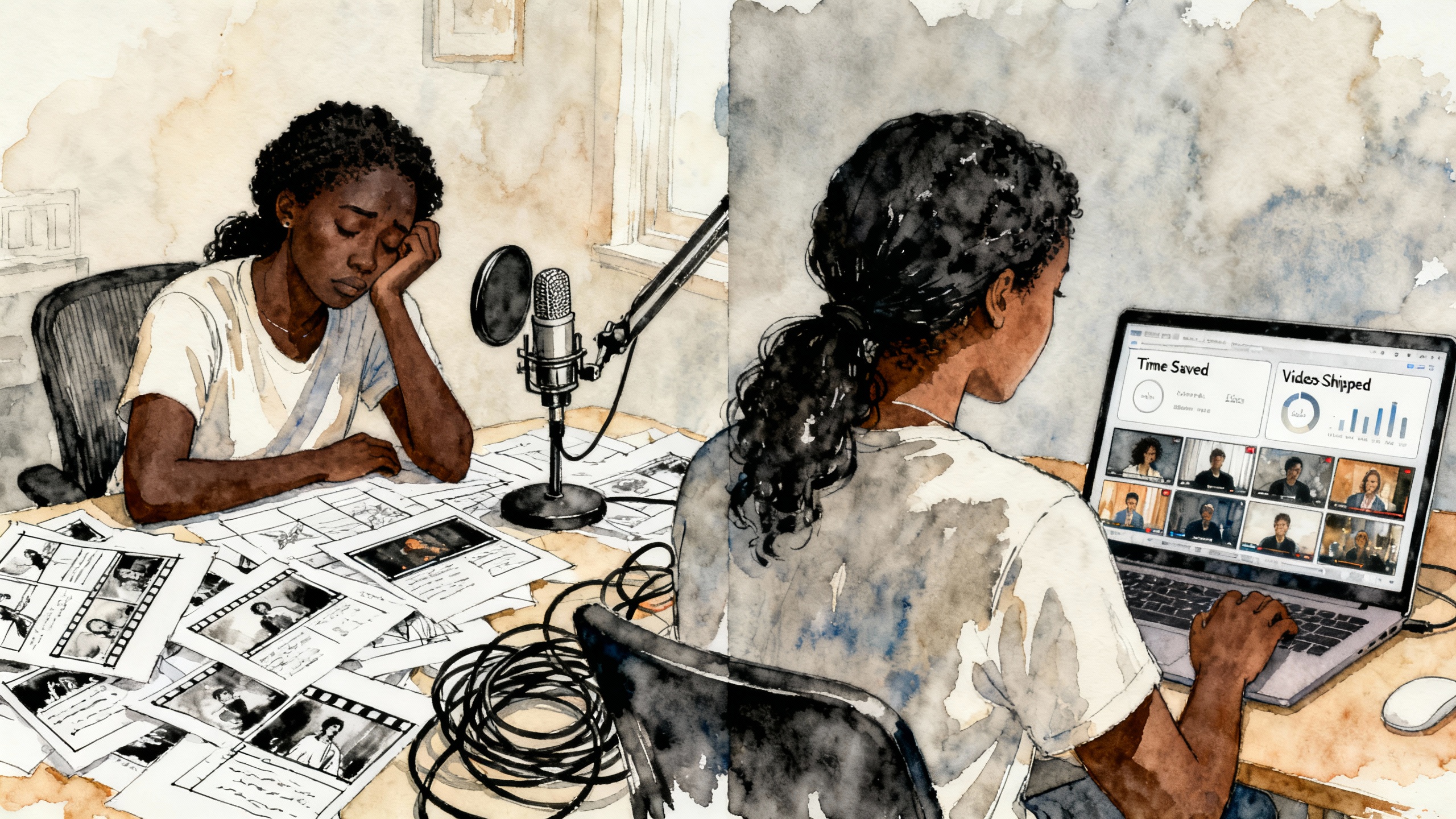
Ryan, a learning manager at a SaaS company, used to lose almost a full day to each training video: scripting, recording his own voice in a makeshift sound booth, aligning slides, and re-recording whenever the product UI changed. In a case study from Synthesia, he describes course creation timelines stretching into months, and updates forcing him to tear down entire lessons just to fix a label or button.
After switching to an AI presenter tool, he went from hour-long editing sessions to a few minutes of tweaking. Course build time dropped by about 50%, and the painful audio–video syncing step shrank by roughly 80%. Instead of choosing between "keep the course outdated" or "sacrifice another workday," he could finally ship a full academy that stayed current.
Pullout #1: The real ROI shows up when one person can maintain an entire academy without burning a full week per update.
When Your Voice Is a Single Point of Failure: Leah's Story
Leah, an instructional designer at a UX research platform, faced a different but related problem. In another Synthesia case study, she explains that every learning video depended on her voice; one minute of finished content cost about an hour of recording and editing, and any UI tweak forced her back into the booth. A cold or a busy week could derail their entire content schedule.
AI presenters broke that dependency. Leah moved to a workflow where she wrote the script, selected an avatar, and generated the video in minutes. Production time per video dropped by roughly 80%, and she scaled to dozens of lessons in a year without sacrificing quality; learners couldn't reliably tell the difference from her original voiceover content. The difference wasn't just time saved; it was finally having a learning library that could evolve as the product changed.
Pullout #2: If a single person's voice, health, or calendar can stop your video pipeline, AI presenters are a leverage tool, not a gimmick.
Where Each Tool Actually Shines
Once you get past the promo reels, the most useful way to think about AI video is by jobs, not brands. The tools that pay for themselves are the ones you tightly couple to a single recurring workflow—onboarding, explainers, ads, or case studies—that you know you'll repeat.
| Use case | Strong tools | What you gain |
|---|---|---|
| Training & course content | Synthesia | Faster course builds, easy updates, and scalable academies. |
| B2B explainers & lead gen | Synthesia, Runway | Clear explainers that make products easier to understand and buy. |
| Client proof / case study videos | Runway, Synthesia | Turn testimonials and data into proof-driven videos without a full editor. |
| Rapid ad concept testing | Pika Labs | Many hooks and variations for launches and campaigns at low cost. |
| High-control product visuals | Runway | Motion control, 1080p–4K, and better integration with pro editing. |
| Ad-focused ecommerce workflows | Pika Labs + Runway | Use Pika for idea volume, Runway for polished winners and hero ads. |
Seen this way, the question shifts from "Which is the best AI video tool?" to "Which workflow am I systematizing first?" Once that's clear, the right choice usually becomes obvious.
Pullout #3: Don't buy a "video suite"; solve one repeatable job—onboarding series, weekly ads, or monthly explainers—and let that job choose the tool.
Entrepreneur Budgets: Runway vs Pika in Plain Numbers
Pricing pages are marketing documents, but they still tell you who a tool is really built for. In 2026, Runway and Pika have settled into distinct lanes that show you where each one expects to earn its keep.
Runway's tiers lean toward fewer, higher-value outputs. The free tier gives you 125 credits and 720p exports with watermarks—good for experiments, not for a production library, as outlined in breakdowns from sites like Word Spinner and Imagine.art. Standard, at roughly 12–15 USD/month, offers about 625 credits and watermark-free 1080p. Pro, at around 28 USD/month, jumps to 2,250 credits and 4K support, clearly aimed at professionals and agencies shipping client-facing or campaign-critical work.
Pika Labs, by contrast, is sheer volume in a creator-friendly wrapper. Its free plan offers a modest but usable pool of credits with HD export and commercial rights, according to its own pricing page. Standard, around 28 USD/month, gives roughly 700–1,050 credits and access to the main models, while Pro, around 76 USD/month, stretches that into the low thousands of credits with faster generation speeds, designed for high-output channels and small teams.
| Profile / need | Tool & plan | Cost level | Why it fits |
|---|---|---|---|
| Testing AI video with no budget | Pika Free | 0 USD | More free credits and HD export make it easier to experiment seriously. |
| Light social + explainers, 1–4 vids/month | Runway Standard (~12–15 USD/month) | Low | 1080p and enough credits for a handful of polished videos. |
| High-volume shorts & ad tests | Pika Standard (~28 USD/month) | Low–medium | More seconds per dollar for many short clips and creative experiments. |
| Client-facing work or 4K campaigns | Runway Pro (~28 USD/month) | Medium | 2,250 credits and 4K support suit client deliverables and paid campaigns. |
| Heavy daily production, micro-agencies | Pika Pro or Runway Unlimited (~76 USD/month) | High | Built for constant output with faster generation and relaxed limits. |
When you translate these tiers into "seconds of usable video per dollar," you end up with a simple heuristic: Runway is stronger when every video is high stakes, and Pika shines when the value lies in testing lots of ideas quickly.
Pullout #4: Runway is a "fewer videos, higher stakes" tool; Pika is "more videos, more experiments." Price your choice against how often you actually hit "publish."
What the ROI Looks Like in Real Time
To see whether these subscriptions really pay for themselves, it helps to run a simple back-of-the-envelope calculation. Imagine you earn 50 USD/hour and want four short explainers or training videos live each month—product walkthroughs, mini-lessons, or onboarding clips.
In a manual workflow, you might spend one hour scripting, two recording and cleaning up audio, and another 1.5 syncing and editing per video. At four videos a month, that's 18 hours, or 900 USD worth of your time. With AI video handling voice and much of the assembly, scripting stays at about an hour but production drops to roughly 0.5 hours per video. That's six hours total, or 300 USD in time cost—freeing 600 USD of value in a single month against a 12–30 USD subscription.
The same pattern shows up in ad testing. A roughly 28 USD Pika plan with around 700–1,050 credits can generate dozens of short clips, each testing a different hook or angle for a product launch, as outlined in cost breakdowns like this guide to AI video generator costs. If even one of those variations significantly improves click-through or cost per lead, the plan has paid for itself many times over.
Pullout #5: If you're not producing video at least monthly, the subscription cost isn't your problem—lack of repetition is.
The Hidden Traps Most Creators Discover the Hard Way
The line items on the pricing page are the visible costs. The invisible ones live in how you use the tools: how often you generate, how many variations you chase, and how scattered your workflow becomes.
One underreported trap is "credit burn." Articles on the hidden costs of AI video note that some platforms charge for everything: previews, upscales, re-renders, alternate seeds, even higher-resolution downloads. If you casually spin up ten versions for every five-second clip without a plan, you'll hit the cap long before the end of the month and feel like the tool is expensive when it's really your habits doing the damage.
Another issue is overinvesting in a single masterpiece. Startup-focused guides, like the SuperScale complete guide, stress that high-end tools with heavier per-generation costs shine when your creative strategy is already dialed in. If you're still exploring what resonates, you're usually better off using a cheaper, faster tool to test many ideas and only upgrading the winners into a more polished Runway workflow.
Then there's tool grazing: hopping between free tiers, tutorials, and new launches instead of mastering one stack. Community threads and pricing explainers around Runway's growth show plenty of indie hackers who spent weeks auditioning tools and almost no time shipping videos. The subscription fees were small; the opportunity cost in lost momentum was huge.
And as you grow, add-ons like API access, 4K storage, and extra seats for collaborators can quietly stack up. Cost analyses from studios and agencies point out that these are powerful once video is clearly driving revenue, but they're a drag if you bolt them on too early "just in case."
Pullout #6: The most expensive mistake isn't a 28 USD plan—it's three half-learned tools, a burned-through credit pool, and no consistent publishing cadence.
A Practical Playbook You Can Actually Use
For entrepreneurs and small teams, the win is not learning every AI video tool. It's building one dependable system where ideas go in and useful, revenue-adjacent videos come out on a schedule.
Start by assigning each tool a single job. Maybe Pika owns ad concept testing and Runway owns hero explainers, or Synthesia owns all training modules. If a task doesn't fit a tool's assigned lane, you don't touch it—that one constraint keeps your credits and your attention from scattering.
Then commit to a 30-day production challenge on a single plan: four videos in a month, tied to a real funnel—lead magnet, sales page, or client offer. Track only three numbers: hours spent, videos published, and any downstream lift in clicks, signups, or sales. If, after a month, the time savings or performance bump isn't obvious, downgrade or switch without sentimentality.
Design each video as something you can change in pieces: short segments, modular scripts, and screen-focused demos instead of giant monologues. That way, when your app, offer, or positioning shifts, you can patch one section instead of recreating the entire asset. Ryan and Leah both won because they could update slices of their academies without tearing everything down.
Finally, treat credits like a budget. If your plan gives you a fixed pool of credits and a five-second clip costs 5–10 credits, decide how many concepts and variations you'll run this month before you generate anything. It's the same discipline you'd use with ad spend—only now it applies to your creative engine, not just your media buying.
Pullout #7: The tools don't create the ROI—your system does. Pick one lane, one tool, and one 30-day publishing goal, and let the numbers tell you what stays.
Why This All Matters Now
Runway's revenue curve—rising from single-digit millions to tens of millions in just a few years, as reported by sources like ElectroIQ and Sacra—shows that AI video isn't a fad; it's becoming embedded in how creative work gets done. But that doesn't mean every entrepreneur needs every feature. The teams getting outsized value aren't the ones chasing the most cinematic outputs; they're the ones who've quietly wired these tools into a few critical workflows and let those workflows compound.
If you can turn "one person and a laptop" into a system that keeps your training up to date, your ads in motion, and your case studies alive, AI video stops being a line item and starts being infrastructure. Ryan and Leah didn't become filmmakers; they became more effective operators with a different set of levers. That's the level of ambition that actually pays.
Sources & Further Reading
- Forecast Academy case study (Synthesia): https://www.synthesia.io/case-studies/forecast
- UserZoom case study (Synthesia): https://www.synthesia.io/case-studies/userzoom
- Runway AI pricing breakdowns: https://www.imagine.art/blogs/runway-ai-pricing , https://word-spinner.com/blog/how-much-does-runway-ai-cost/
- Pika Labs pricing and tiers: https://pika-art.net/pricing/ , https://www.pikartai.com/pricing/ , Pika pricing breakdown
- AI video generator cost comparisons and hidden costs: https://www.imagine.art/blogs/ai-video-generators-cost , https://ltx.studio/blog/ai-video-generation-cost , Hidden costs of AI video generators , VidPros AI video cost breakdown
- Runway revenue and growth statistics: https://electroiq.com/stats/runway-ml-statistics/ , https://sacra.com/c/runway/ , https://www.eesel.ai/blog/runway-ai-pricing , TechCrunch on Runway funding
- Runway vs Pika and startup-focused guides: https://genesysgrowth.com/blog/runway-vs-pika-vs-luma-ai , SuperScale AI video guide
📢 Found this AI video ROI analysis helpful?
Share Bradford's practical guide to AI video ROI with fellow entrepreneurs:
Loading recommendations...