
Analysis by E.H. Bradford
AI Industry Reporter & Reality Correspondent
Google Disco: The Browser That Turns Your Tabs Into Tools
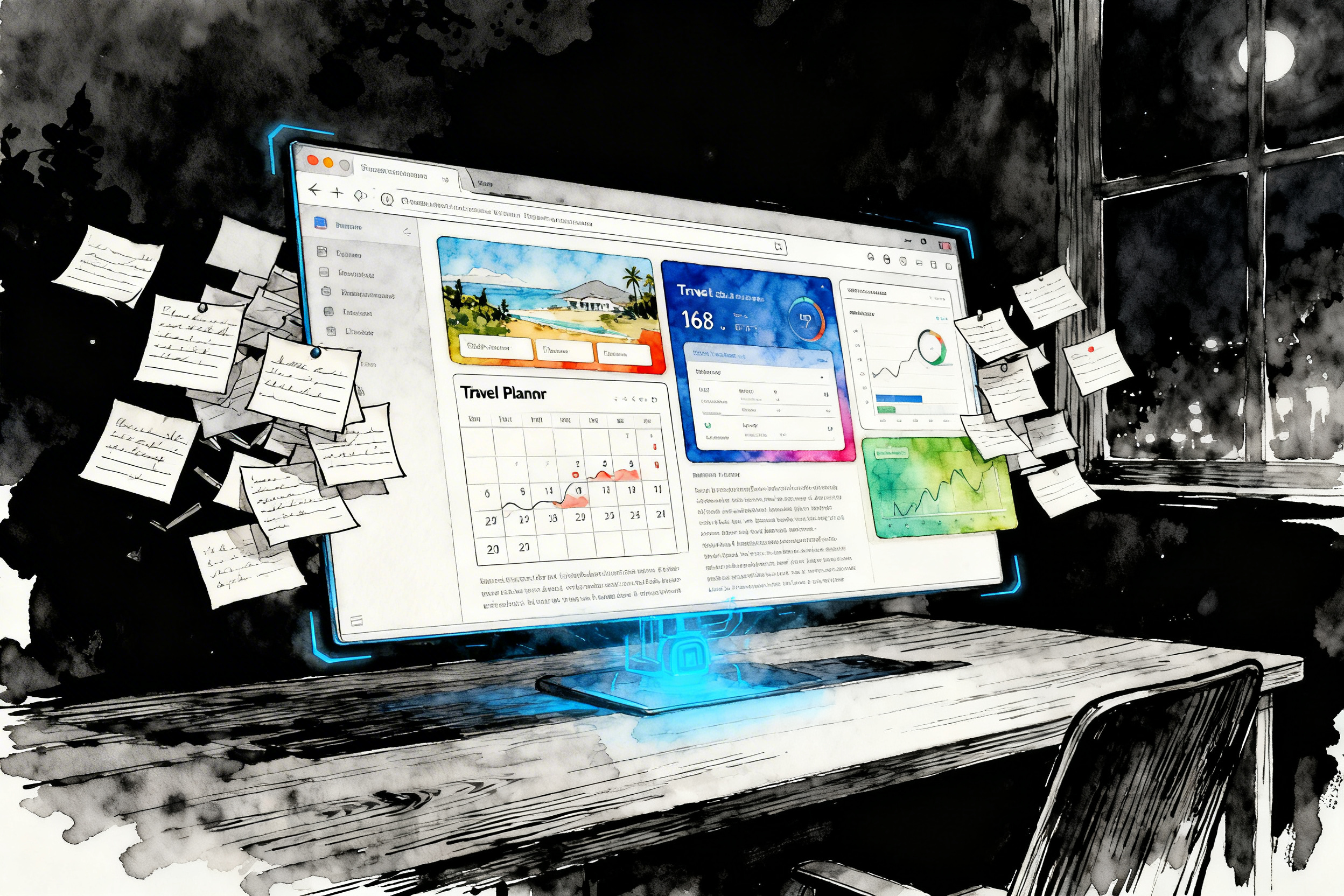
Picture this: you've got fifteen tabs open. Flights to Tokyo. Hotel reviews. Weather forecasts. Local attractions. "Things to do" lists. Your calendar. It's the classic research overload—chaotic, overwhelming, and somehow you're supposed to turn it into an actual trip plan. What if your browser didn't just show you those tabs, but built a custom planner from them?
That's the bet behind Google Disco, an experimental browser from Google Labs that treats your browsing history like raw material for mini‑apps instead of just a pile of pages. It's still in limited beta, but it offers a sharp preview of a future where your browser helps you build tools, not just collect links.
The Origin Story of Disco
In December 2025, Google Labs quietly introduced Disco as a kind of sandbox for rethinking what a browser can be. Rather than replacing Chrome outright, Disco lives as an experiment: a place where Google can test bold ideas without breaking the tools billions of people use every day.
Under the hood, Disco is built on Chromium, so it feels like a modern browser: tabs, address bar, familiar shortcuts. The twist is in how it thinks. It runs on top of Gemini, Google's powerful AI model, and that gives the browser a new job: not just rendering pages, but understanding the patterns behind what you're doing and proposing tools that match the task.
Right now, Disco is limited. It's focused on macOS, available through a waitlist, and primarily targeting US users while Google gathers feedback and usage data. This isn't a polished consumer product; it's a lab experiment with real users, designed to answer one big question: if your browser could actively help you get things done, what would that look like?
Google's early answer to that question is Disco's headline feature: GenTabs.
How GenTabs Bring Your Tabs to Life
GenTabs are the heart of Disco. The easiest way to understand them is this: they are AI‑generated mini‑apps that spring out of the chaos of your open tabs and your prompt. You keep browsing the way you normally do—researching, comparing, hopping between pages. Then, when you're ready, you ask Disco to make sense of it.
Back to that Tokyo example. You've got flights, hotels, weather, and activity ideas scattered across your tabs. In Disco, you type a sentence like: "Build me a Japan trip planner from these tabs." Instead of giving you another list of links, the browser pulls those pages together and generates a single interface: an itinerary laid out day by day, maps for each location, accommodation options structured for comparison, plus sections for budget and notes. Every element links back to the original websites, so you can still click through to check details or change your mind.
The same pattern works for learning. Imagine a stack of tabs about entropy, information theory, and thermodynamics. Normally, you'd skim, get confused, and promise yourself you'll "come back to it later." In Disco, you can say: "Make an interactive explainer for this topic." GenTabs analyzes the pages, identifies the key ideas, and builds an on‑screen tool: sliders for changing variables, step‑by‑step breakdowns of equations, and comparisons that help you see how one concept relates to another.
It doesn't stop at travel and study. Meal planning sessions can turn into weekly menus with linked recipes and grocery breakdowns. Garden research can become a planting calendar matched to your climate and chosen crops. Everyday browsing—where you're collecting ideas, instructions, or references—becomes raw material for a custom interface designed around that specific job.
Behind the scenes, Gemini reads your open tabs, your chat history in Disco, and the prompt you've given it. From there, it assembles interactive elements like dashboards, calendars, comparison tables, or checklists. You don't write code; you refine the behavior using natural language. "Add budget tracking." "Split this into phases." "Prioritize family‑friendly activities." The browser plays the role of a very fast, somewhat opinionated junior builder, and you become the editor.
A Day in the Life with Disco
To see how this might matter in real workflows, imagine a typical day for a creator or solo business owner.
You wake up with a plan to map out your next month of content. By 10 a.m., your browser is overflowing: analytics dashboards, keyword tools, competitor videos, comment sections full of audience requests, a few "how to grow on YouTube" articles you've been meaning to read. The information is useful, but the shape of it is a mess.
With a traditional browser, you'd probably start a spreadsheet or a doc, tab back and forth, copy‑paste ideas, and try not to lose your place. With Disco, you can pause and ask: "Turn what I'm looking at into a content planning dashboard." GenTabs reads your context and produces a structured board: video ideas grouped by theme, engagement metrics pulled in as reference points, notes about what your audience keeps asking for, and a rough publishing calendar. It won't be perfect, but it's a working draft you can adjust instead of a blank page you have to fill from scratch.
Later that day, you switch to client work. You're preparing a proposal and have tabs open for the client's site, their past campaigns, similar brands, pricing benchmarks, and a couple of contract templates. Again, the pieces are there; the problem is structure. This time you ask: "Create a project proposal outline using these tabs." Disco responds with a model: sections for goals, scope, deliverables, timeline, and an embedded pricing calculator based on the reference material you've been browsing. You still decide the numbers and refine the language, but the "bones" of the proposal arrive in minutes instead of hours.
Even the personal projects benefit. Perhaps in the evening you fall into a rabbit hole of balcony gardening, soil mixes, and companion planting charts. GenTabs can convert that research into a planting planner tailored to your location and the crops you've been reading about—complete with a seasonal calendar and care notes. It's the kind of small, specific tool you might wish existed in the app store but never find, now stitched together from the pages you already had open.
In each case, the pattern is the same: your tabs become the raw inputs, your prompt defines the outcome, and Disco builds a first version of the tool you'll actually use.
The Limits and Trade‑offs
Because Disco lives inside Google Labs, it comes with guardrails and caveats. It's not a general release product. Access is limited, the primary focus is on macOS users, and availability is currently centered in the US. If you're outside that bubble, you may be watching from the sidelines for a while.
There are deeper trade‑offs too. For GenTabs to work, Disco needs fairly broad visibility into what you're doing: the tabs you have open, the content on those pages, and the context of your conversation with the browser. That raises practical questions about privacy and data handling, especially if you work with sensitive client information or confidential internal docs. For serious client work, you might keep that content in a more locked‑down browser profile and treat Disco as a sandbox for planning, learning, and experimentation.
There's also the question of reliability. GenTabs are powerful for prototypes and planners, but they aren't a replacement for a production‑ready CRM, finance system, or multi‑user business app. They don't come with the guarantees around uptime, versioning, or data structures that you'd expect from mature software. In other words: Disco is fantastic for "what should this look like?" and "what could I build here?" It's less suited to running the core of a business without a lot of additional engineering around it.
That said, this is exactly what a Labs experiment is for. Google can move quickly, throw out ideas that don't land, and fold the most successful patterns back into Chrome or other products. Today's weird AI side project is often tomorrow's mainstream feature.
Why Disco Matters for How You Work
Disco is more than just another AI demo. It hints at a shift in how we relate to the browser itself. For years, browsers have been neutral spaces: they show you pages, and what you build with those pages is up to you. Disco suggests a different role: a browser that actively participates in your work by turning what you're looking at into tools you can use immediately.
If you live in spreadsheets, scripts, documents, and research tabs, that shift is significant. It means you can spend less time moving information between tools and more time refining the systems that matter: the planner you rely on, the dashboard you show clients, the study environment that finally makes a difficult topic click. For creators, freelancers, and small teams, anything that reduces friction between "I'm reading about this" and "I've built something useful from this" is worth paying attention to.
Disco won't replace serious tools. It won't write all your code or design fully polished products without your input. But it does challenge a comfortable assumption: that browsers are just windows. The experiment asks, "What if your browser also knew how to build?" and then hands you GenTabs as the first draft of an answer.
Whether you ever touch Disco in its beta form or only meet its ideas later inside Chrome, the message is clear: the line between "surfing the web" and "creating with the web" is about to get a lot thinner. The people who learn how to direct these AI‑powered browsers—who get good at turning tab chaos into structured tools—will be the ones who move faster and ship more.
If you already think in terms of systems and workflows, Disco is a glimpse of a future where your browser meets you halfway. Instead of just holding your research, it helps you turn that research into something you can actually use.
Sources & Further Reading
- Google Labs: Disco Official Page
- Google Blog: Disco and GenTabs Overview
- TechCrunch: Google Debuts Disco
- Mashable: Google Disco Makes Web Apps from Tabs
- TorontoStarts: Disco Browser Status and Analysis (2026)
- DigitalApplied: Google Disco & GenTabs Complete Guide
- Tech‑Now: Google Disco Browser Deep Dive
📢 Found this Google Disco analysis helpful?
Share Bradford's take on AI-powered browsers with fellow creators and developers:
Loading recommendations...